
Web Client for SAP Business One
2026.03.31
What is the SAP Business One Web Client?
The Web Client is a feature that allows users to access SAP Business One directly through a web browser. Provided as an integral part of the SAP Business One ecosystem, it enables access not only from desktop PCs but also from tablets and other devices via browsers such as Google Chrome and Microsoft Edge.
It is built on SAP Fiori’s UX design concept, which delivers a clean and intuitive interface that makes day-to-day navigation straightforward for all users. It also offers robust data visualization and analytical capabilities through charts and dashboards, giving businesses a clear, at-a-glance view of their operations.
A Clean Design Built for Everyday Use
SAP Fiori was designed with a single guiding principle: that anyone should be able to use it without confusion.
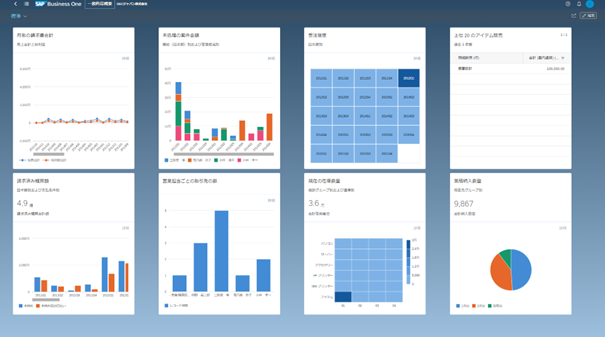
The home screen organizes key functions and information into a tile-based layout, allowing users to access what they need quickly and without navigating through complex menus. This streamlined approach keeps daily workflows running smoothly.
The home screen can also be personalized on a per-user basis. Tiles can be configured to reflect each user’s role and responsibilities, whether that’s a member of the sales team, the finance department, or any other part of the business, ensuring everyone sees the information most relevant to them.
Home Screen
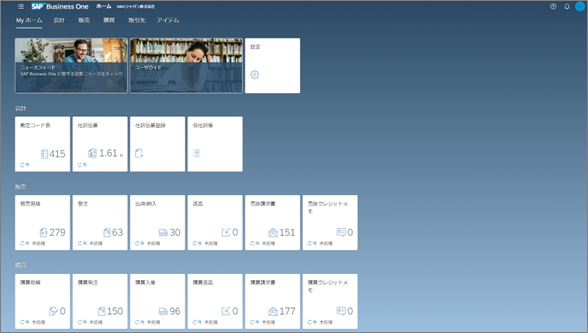
Home screen with tasks organized in tile format
Making Data Visible
One of the Web Client’s standout strengths is its data visualization. It readily turns data into something you can actually see and act upon.
For example, document lists can be easily converted into charts.
- Select Sales Orders from the home screen tile
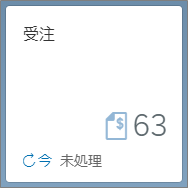
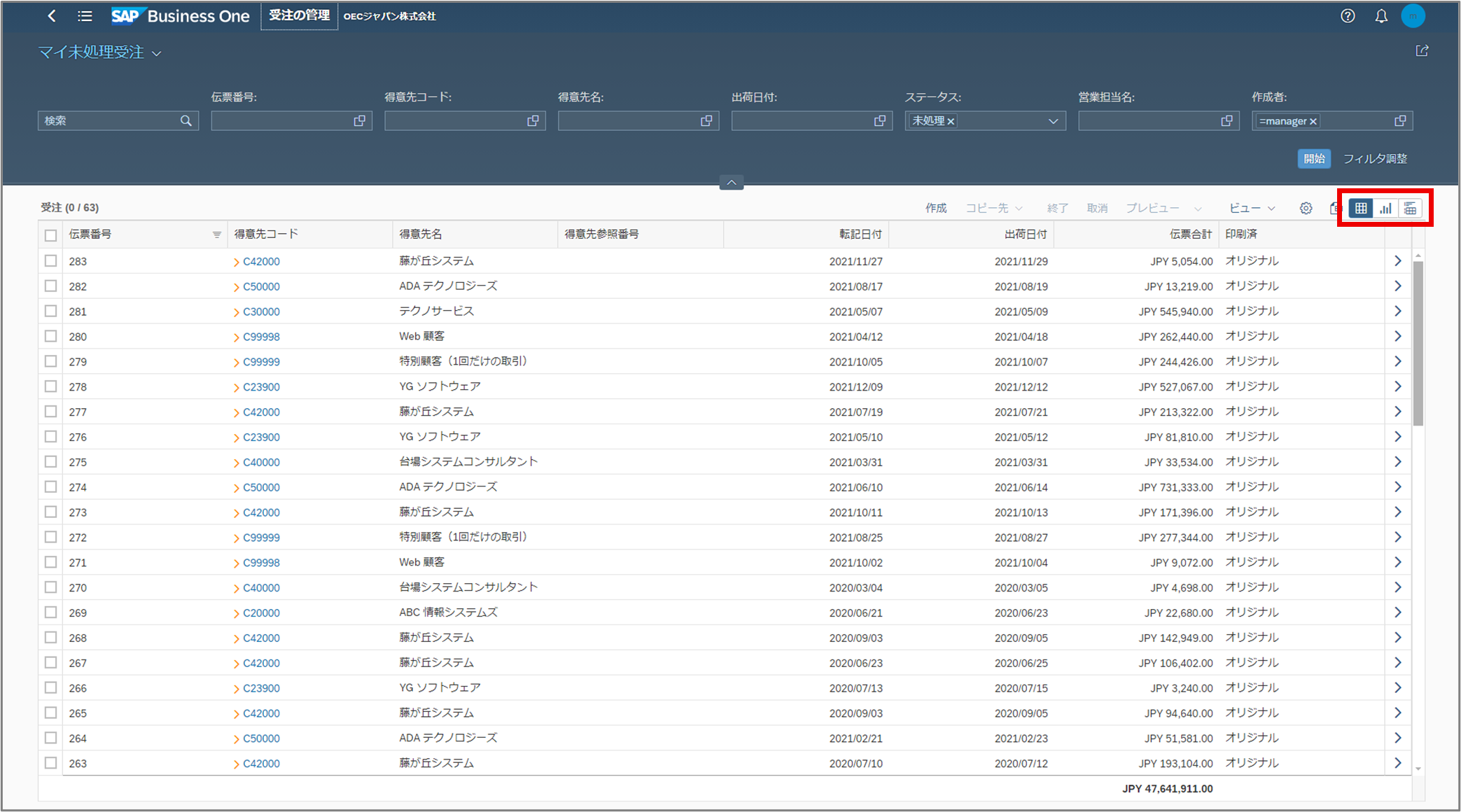
- Navigate to the document list view, and choose your preferred display format using the button in the top-right corner
- Specify the criteria to be implemented in the chart such as sales order per sales representative, and generate the chart instantly
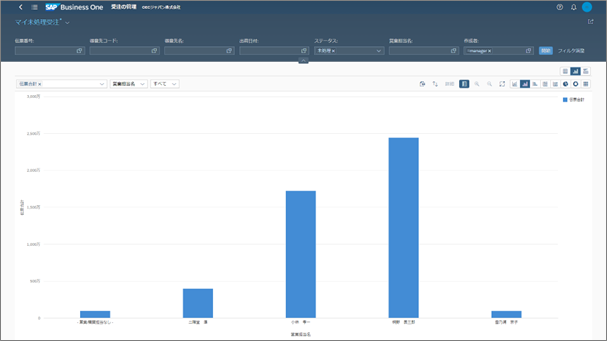
Beyond this, a wide variety of charts and dashboards are available to support visual analysis. In addition to the standard reports provided out of the box, user-defined data can also be displayed graphically, meaning businesses can tailor their view to the metrics that matter most to them.
Extensibility Within SAP Business One
The Web Client is not a standalone cloud ERP product, it is part of SAP Business One, a system with a long and well-established track record as an on-premises ERP solution.
As such, it retains the high degree of customizability that has always been one of SAP Business One’s key strengths, giving it an advantage over purely cloud-based ERP platforms in this regard.
Therefore, users can fully leverage SAP Business One’s native extensibility through the Web Client.
Web Client and Desktop: Better Together
The Web Client is not intended as a replacement for the desktop version, it serves as an extension of it.
While the rollout of desktop features to the Web Client is ongoing, the majority of key documents and master data are already accessible.
Crucially, both versions draw on the same company data, and no additional licenses are required.
A likely scenario going forward is that office-based users handling day-to-day transactional work continue to use the desktop version, whilst those who need real-time visibility on the go, or who require a consolidated, visual overview of business data, turn to the Web Client. This kind of complementary usage may well become the standard approach for SAP Business One going forward.
If you would like a demonstration of the Web Client, please do not hesitate to get in touch with us.